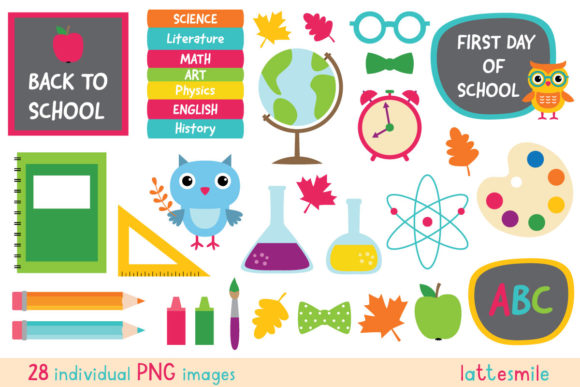
Back to School Clipart Set for Creative Projects
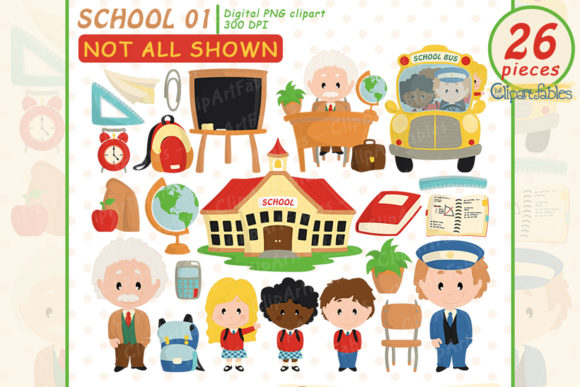
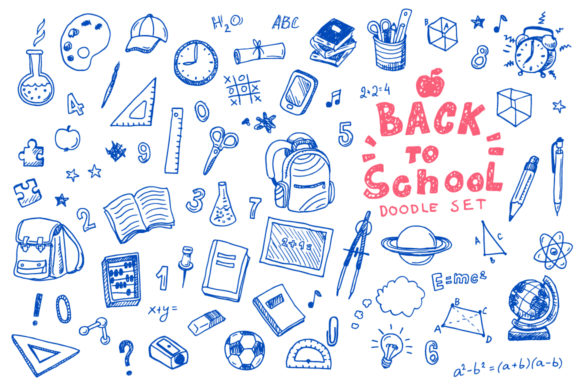
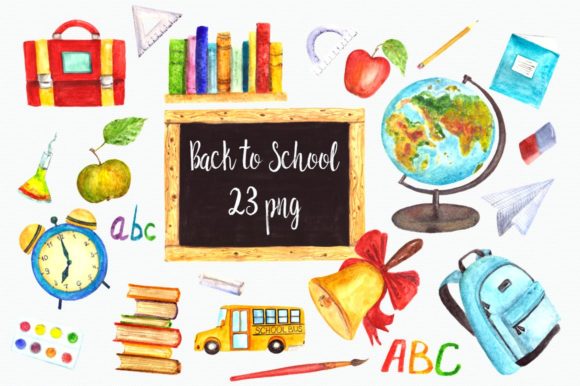
Whether you are designing a classroom newsletter, creating social media content for a tutoring business, or putting together a promotional flyer for a local school supply drive, the Back to School Clipart Set offers a practical and flexible foundation. This digital download delivers 28 separate PNG clip art images in a single zip file, each saved at 300 dpi with a transparent background. That combination of resolution and format means you can drop these images into nearly any project without worrying about pixelation, white boxes, or awkward edges.
For creative professionals, small business owners, educators, and hobbyists alike, having a reliable set of themed visuals saves time and keeps your work consistent. Instead of hunting for individual images across multiple sites or settling for mismatched styles, you get a cohesive collection that works together from the start. Let’s explore what makes this set useful and how you can put it to work across different platforms and audiences.
What You Get Inside the Zip File
Understanding the technical details helps you plan your projects with confidence. Each image in the Back to School Clipart Set is an individual PNG file, which means you can use them one at a time or layer several together in tools like Canva, Photoshop, Illustrator, or even presentation software such as PowerPoint and Google Slides.
- 28 separate files – no duplicates, no filler. Each image is distinct.
- 300 dpi resolution – print-ready for flyers, banners, stickers, and handouts.
- Transparent background – place images over colored backgrounds, patterns, or photographs without extra editing.
- Zip file delivery – download once, unzip, and all images are ready to use immediately.
This format is especially helpful if you need to resize images without losing quality. You can scale them down for digital use on a website or mobile graphic, or scale them up for a large poster or bulletin board display. The transparent background also makes it easy to combine elements from the set with other assets you already own.
Creative Uses Across Different Audiences
One of the strongest advantages of a themed clipart set is its versatility. The Back to School Clipart Set can serve multiple audiences, each with distinct goals and preferred formats.
Educators and Classroom Decor
Teachers and homeschool parents often need quick, visually consistent materials that appeal to young learners. With 28 images, you can create matching sets for:
- Classroom labels and name tags
- Daily schedule cards
- Bulletin board borders and accents
- Reward charts and behavior trackers
- Lesson worksheets and activity sheets
Because the images share a similar style, your classroom materials will look intentional rather than pieced together from random sources. That visual consistency helps students focus on the content rather than the distractions of mismatched graphics.
Small Business Owners and Marketers
If you run a tutoring center, a preschool, a stationery shop, or an educational blog, you can use this set to support your brand identity. Consider using the clipart in:
- Email newsletters announcing fall programs or enrollment periods
- Social media posts highlighting back-to-school tips or product launches
- Print flyers distributed at community events or local libraries
- Promotional stickers or bookmarks given to customers
- Website banners or blog headers that change with the season
For marketers, the transparent background is a time-saver. You can place a pencil or apple clipart over a branded background color without needing to manually remove white edges. This keeps your collateral looking polished and professional.
Freelancers and Designers Working with Clients
If you offer design services to schools, parent-teacher organizations, or small education businesses, having a ready-to-use clipart set can speed up your workflow. You can use the images as placeholders during the concept phase, then swap them out if the client prefers a different look. Alternatively, if the style matches your client’s brand, you can integrate the Back to School Clipart Set directly into the final deliverables.
Because the set includes 28 images, you have enough variety to create a full campaign without repeating the same graphic too often. That matters when you are designing a series of posts, flyers, or handouts that need to feel fresh across multiple touchpoints.
Project Ideas for Different Formats
The same set of images can take very different forms depending on the medium. Below are a few specific ideas that show how you can adapt the clipart for different platforms.
Print Projects
For anything that will be printed, the 300 dpi resolution ensures crisp, clean output. Try these print applications:
- Back-to-school party invitations – use a combination of images to create a playful, themed invitation for a classroom meet-and-greet or a teacher appreciation event.
- Learning flashcards – pair clipart with vocabulary words or math problems on durable cardstock. The transparent background means you can print on colored paper and the image will still read cleanly.
- Classroom job charts – assign each student a clipart icon that matches their role, from line leader to materials manager.
Digital Marketing Materials
For social media, email, or web use, you can downsample the images to reduce file size while keeping them sharp on screen. Ideas include:
- Instagram story highlights – use individual clipart images as cover icons for story collections like “Homework Help,” “Reading Tips,” or “Class Updates.”
- Etsy listing graphics – if you sell digital educational resources, use the clipart to create cohesive mockups and preview images.
- Facebook event cover images – layer multiple clipart elements with your event text to create a visually engaging header.
Presentation and Video Content
Educators and content creators often need visuals for slides or short videos. The Back to School Clipart Set works well in these contexts because the transparent background allows you to place images over gradient backgrounds or video clips.
For example, if you record a welcome-back video for your class, you can overlay a small clipart element in the corner as a consistent visual signature. In slide decks, you can use one or two images per slide to reinforce key points without cluttering the layout.
Keeping Your Results Clear and Consistent
Having 28 images at your disposal is useful, but using them effectively requires a little planning. Here are a few recommendations to help you maintain a clean, organized look across your projects.
Limit your palette. Even though all the images share a consistent style, you should avoid using every single image in one project. Choose a few key elements that support your message and repeat them for cohesion. A classroom newsletter, for instance, might feature the same pencil and book image on each page rather than introducing a new icon every time.
Pay attention to scale. Because the images are high resolution, you can make them quite large without losing quality. But scaling an image too big relative to your layout can overwhelm the text or other content. Use the images as accents or focal points, not as wallpaper.
Use consistent alignment. When placing multiple images in a single layout, align them to a grid or a common baseline. This is especially important for printed materials like calendars or charts where irregular spacing can look unprofessional.
Combine with your own content. The clipart set is a tool, not a complete solution. Pair the images with your own typography, brand colors, and messaging to create something that feels original and tailored to your audience.
Adapting the Set for Different Goals and Audiences
The Back to School Clipart Set is most effective when you think about who will see your project and what you want them to do. A set of images designed for young children might feel different from a set aimed at parents or colleagues, even if the core elements are the same.
For children: Use bright, large images with minimal text. Let the clipart do the work of drawing attention. A reward chart with a smiling pencil or a stack of books can make routines feel more playful.
For parents: Use the clipart sparingly to support clear, informative communication. A school supply list with small clipart icons next to each item helps parents quickly scan and understand what they need to buy.
For colleagues or professional audiences: Keep the clipart small and subtle. Use one or two icons on a meeting agenda or a professional development flyer to add a touch of visual interest without compromising formality.
By adjusting the size, placement, and number of images, you can serve very different audiences with the exact same set. That flexibility is one of the strongest reasons to keep a themed clipart collection in your creative toolkit.
Practical Tips for Organizing Your Files
After you download the zip file and extract the images, take a few minutes to set up your files in a way that saves time later. Create folders labeled by category if the images cover different subjects like school supplies, transportation, or classroom activities. You can also rename files to reflect what each image contains, especially if you plan to reuse them across multiple projects.
If you work with a team, store the images in a shared drive with clear naming conventions so everyone can find what they need without guesswork. A little organization at the front end makes the Back to School Clipart Set even more valuable over time, because you will reach for it season after season.
Whether you are preparing for a new school year, launching a product, or creating content that supports learning and community, having a reliable set of visuals simplifies your workflow. The 28 images in this collection give you room to experiment while staying within a cohesive visual language that your audience will recognize and trust. Use them as a starting point, and let your own creativity take the rest of the way.